

Summary
Cybersecurity threats can affect businesses of any size, but small, consistent security habits can make a meaningful difference. Learn how to help protect your business from four common cybersecurity risks: endpoint security gaps, sophisticated scams, phishing and ransomware, and cloud and fileless attacks.
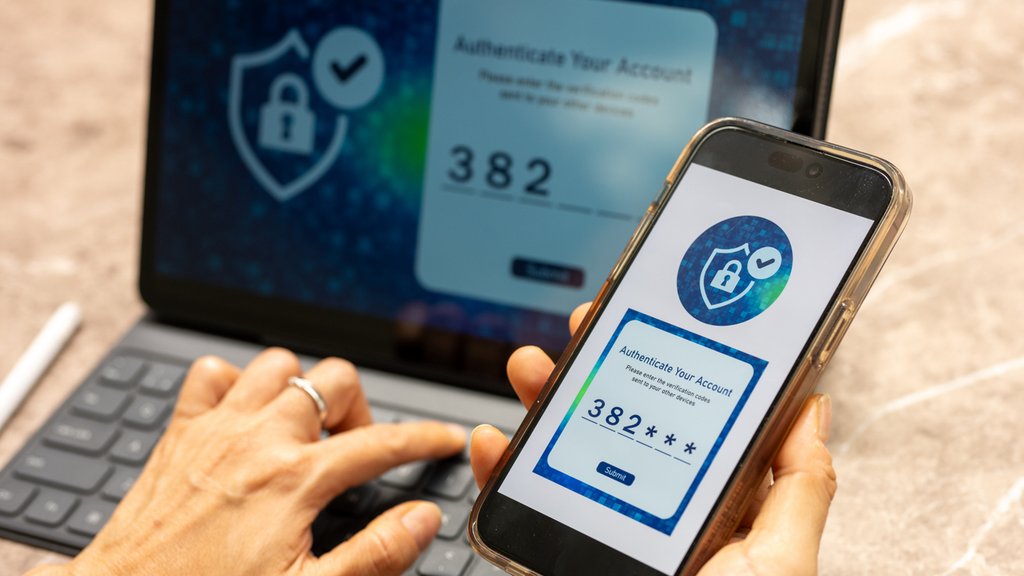
Know the Risks. Build Smarter Security Habits.
October is Cybersecurity Awareness Month, a reminder that protecting your business online does not always require complicated changes. Often, stronger cybersecurity starts with something much simpler: knowing what to look for and building smart, consistent habits across your organization.
Running a business means keeping a lot of plates spinning. You are taking care of customers, supporting employees, managing finances and thinking about what comes next. With everything competing for your attention, cybersecurity can be easy to push down the list. But protecting your systems and information is an important part of protecting everything you have worked hard to build.
The good news? You do not have to be a cybersecurity expert to make your business more secure. Understanding a few common threats and knowing how to respond can go a long way.
1. Endpoint Security Gaps
Think about how many devices connect to your business on an average day. One employee might check email from a company laptop, respond to a Teams message from a personal phone and log in from their home Wi-Fi later that evening.
Each of those devices is an endpoint, and each connection can introduce risk if it is not properly secured.
Sometimes the risk begins with something that seems relatively minor. Maybe an employee keeps putting off a software update. Someone loses the phone they use to check work email. Or a team member works remotely using a network that is not secure. Small situations like these can potentially put business or customer information at risk.
The goal is not to eliminate flexibility. It is to make sure that flexibility comes with the right safeguards.
How can you improve endpoint security?
- Require multi-factor authentication for business accounts.
- Keep devices, operating systems, software and security tools up to date.
- Use endpoint protection that monitors behavior, not just known malicious files, and limit administrative rights on employee devices.
- Encourage employees to use trusted, secure networks and approved virtual private networks when appropriate.
- Establish clear guidelines for personal devices used for work.
- Make sure employees know what to do if a work device is lost, stolen or compromised.
A few consistent practices across your team can help close security gaps before they become bigger problems.
2. More Sophisticated Scams
Fraudulent messages are not always full of spelling errors or obvious red flags. Today, a scam may look polished, use a familiar logo or appear to come from a customer, coworker or vendor. A cybercriminal may even use information available online to make a request seem more believable.
Imagine receiving an email near the end of a busy day that appears to come from a trusted vendor. The message says their payment information recently changed and asks you to send the next payment to a new account. Everything looks familiar, and the request feels urgent.
This is exactly when it pays to pause.
Cybersecurity is not just about technology. It is also about creating a culture where employees feel comfortable questioning an unusual request, verifying information and speaking up when something does not feel right.
Encourage your team to pause and verify:
- Be cautious with unexpected links, attachments or requests for sensitive information.
- Verify unusual payment or account requests using a known phone number or separate communication channel.
- Look carefully at the sender’s email address, particularly when a message creates a sense of urgency.
- Give employees a clear, judgment-free way to report suspicious activity.
3. Phishing and Ransomware
Phishing is a common tactic cybercriminals use to try to gain access to information, money or systems. A phishing message might ask an employee to reset a password, open an invoice, review a document or respond to an urgent payment request.
The common thread? The message is designed to get someone to act before they stop and think.
Consider an employee who receives what appears to be a routine email notifying them that their password is about to expire. They are between meetings, the message looks legitimate and clicking the link seems like the quickest way to take care of it. That one rushed moment could put sensitive information at risk.
A successful phishing attack can also open the door to ransomware, which can lock files or systems and disrupt normal business operations.
How can businesses help protect against phishing and ransomware?
- Provide ongoing cybersecurity awareness training using realistic examples.
- Encourage employees to slow down before responding to unexpected or urgent requests.
- Back up important business data regularly and test that it can be restored.
- Limit employee access to only the systems and information needed for their roles.
- Create a clear incident response plan so employees know who to contact and what to do if something happens.
The goal is not to make employees suspicious of every email. It is to help them recognize when something deserves a second look.
4. Cloud and Fileless Attacks
Cloud-based tools make it easier to collaborate, share information and keep business moving from almost anywhere. But that convenience also makes good security practices especially important.
Picture a shared cloud folder created for a short-term project. At the time, several employees and outside partners need access. Months later, the project is over, but no one has gone back to review who can still open the files.
That is why cybersecurity is not just about keeping attackers out. It is also about regularly reviewing who has access to your information and whether they still need it.
Businesses should also be aware of fileless attacks. While you might picture a cyberattack starting with a suspicious download or attachment, that is not always the case. Fileless attacks can use trusted programs or tools already built into a computer to carry out harmful activity, which can make them harder to spot. It is another reason why keeping systems updated, monitoring for unusual activity and using multiple layers of security can help protect your business.
How can you strengthen cloud security?
- Review user permissions regularly and remove access that is no longer necessary.
- Use strong, unique passwords and multi-factor authentication.
- Choose trusted technology providers and understand the security settings available to your business.
- Monitor accounts and systems for unusual activity.
- Work with qualified technology and cybersecurity partners to evaluate your protections.
As your technology changes, your security practices should evolve with it.
Cybersecurity Starts With Small, Consistent Steps
Cybersecurity can feel overwhelming, especially when threats continue to change. But protecting your business does not have to happen all at once.
Start with the basics. Turn on multi-factor authentication. Install that software update instead of putting it off. Review who has access to your systems. Talk with your employees about suspicious messages. Most importantly, make cybersecurity a shared responsibility across your organization.
Those habits may feel small individually, but together they can help build a stronger cybersecurity foundation for your business.
At First Internet Bank, we know running a business already gives you plenty to think about. Building thoughtful cybersecurity habits can help you better protect your operations and customer relationships so you can spend more time focused on what matters most: moving your business forward and imagining more for what comes next.
Important Reminder:
Your security matters to us. First Internet Bank will never ask you to provide sensitive information, such as your PIN, online banking password or one-time security codes by phone, email or text message. If you believe you may be a victim of fraud, contact our Relationship Bankers at [email protected] or 1-888-873-3424.