

AI-driven Banking Insights
Secure AI connection that helps you do more.
We’re always looking for better ways to help you understand your money and put it to work. Now, you can choose to securely connect AI assistants like Anthropic’s Claude* and OpenAI’s ChatGPT* to your First Internet Bank business accounts for read-only access using the beta version of our Model Context Protocol (MCP).
Claude or ChatGPT can securely read and analyze your online banking information, so you can ask questions and see insights directly within the AI assistant you’re using, without exporting spreadsheets, toggling between tools, or giving up control of your data.
*Available now for Claude Pro, Max, Team and Enterprise plans, as well as ChatGPT Pro, Business and Enterprise plans.
Get Started Today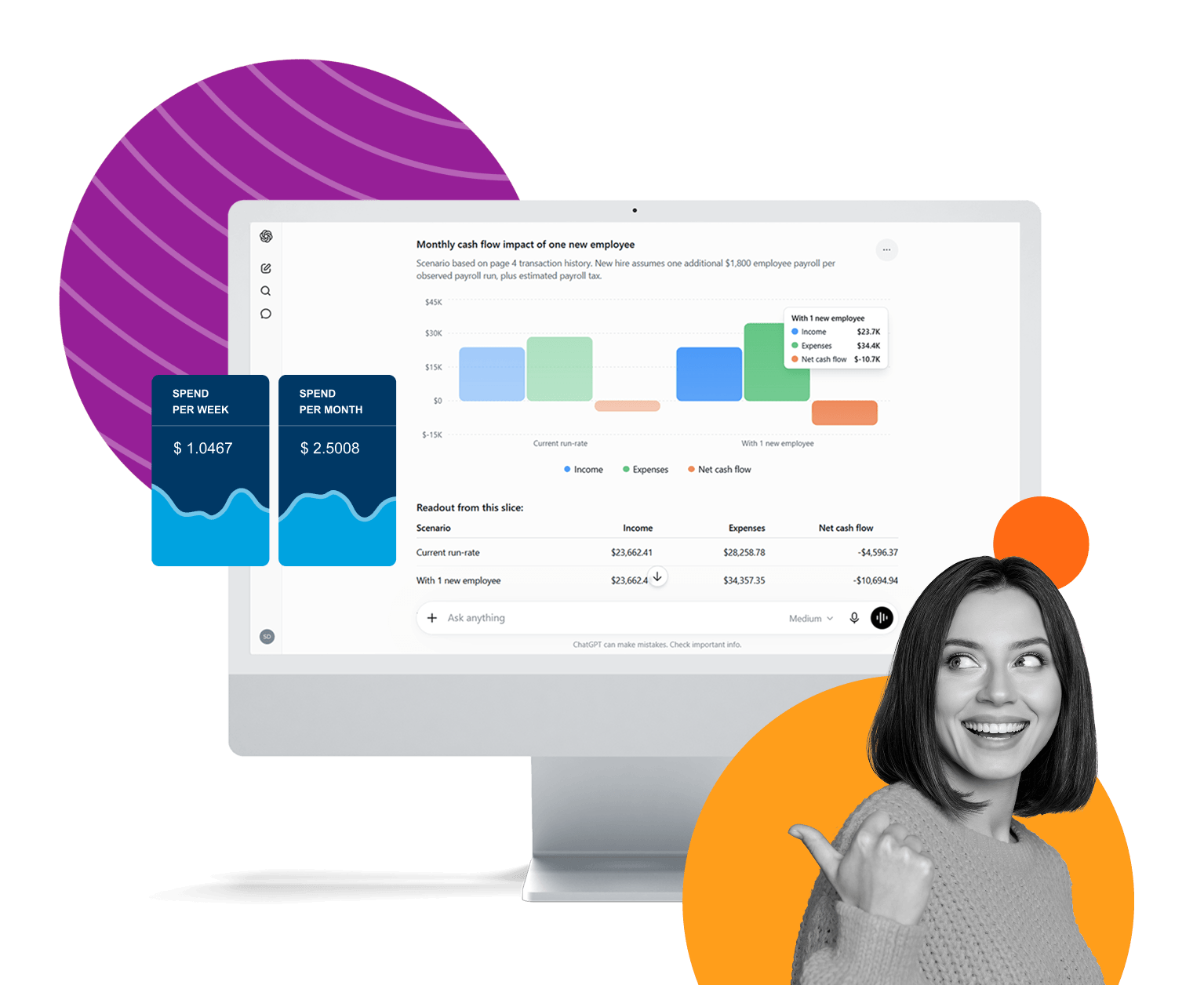

What is MCP in banking?
Think of MCP as a secure connection you choose to establish between your First Internet Bank business accounts and Claude or ChatGPT. There’s no new app to manage, no extra sign in, and you never share your bank sign in credentials.
MCP works quietly in the background, sharing only what you approve. That way, you can ask questions and see insights right inside Claude or ChatGPT, while staying fully in control of your data.
Want to learn more? Read our FAQsUse AI to analyze business cash flow and transactions.
When your financial data works together, your questions get easier to answer. By securely connecting your First Internet Bank accounts to the AI tools you already use, you can see your full financial picture in one place and get answers that actually reflect reality.
Smarter insights. Clearer decisions.
No manual exports. No piecing things together. Just information you can use. Instead of logging into multiple dashboards or pulling manual reports, you can get clear, immediate answers and insights using the AI assistant you already prefer.
With First Internet Bank’s MCP connection, you can ask your AI assistant questions like:
- Do I have enough cash on hand to cover upcoming expenses?
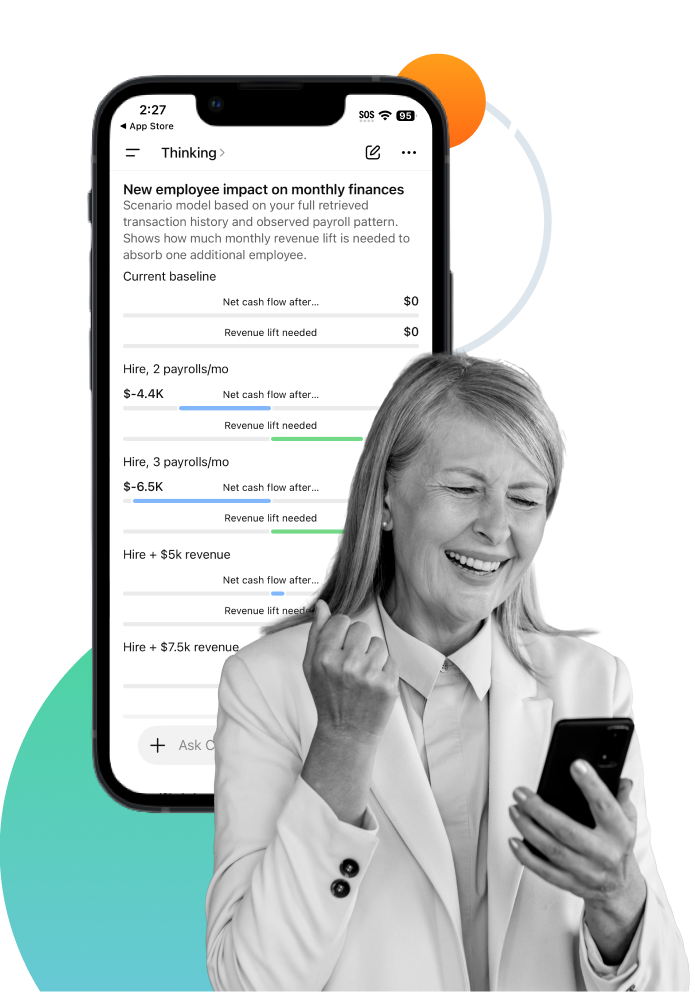
- How has my spending changed month-over-month?
- Which vendors am I spending the most with?
- Has a recent payment cleared?
Spend less time organizing data and more time using it to make informed decisions
Ask straightforward questions about cash flow, spending, and account activity
Generate summaries and reports in minutes, not days
See trends, patterns, and changes as they develop over time
From data to action, you’re always in control.
You decide what data the Claude and ChatGPT can review, such as balances or transaction history. Permissions can be updated or turned off at any time.
MCP connections are currently read-only, meaning AI assistants can analyze information but can’t move money or make changes to your accounts. MCP simply allows approved data to be securely read for analysis, then closes the connection when you’re done.
Built for real world decision making.
Business owners can use AI tools to better understand cash flow, spending, and financial position. MCP makes it possible to bring those same tools safely into your First Internet Bank online experience, grounded in your actual account data, not assumptions.
Get Started TodayExploring what’s next, together.
You’re among the first to try this new capability, and that’s not something we take lightly. We’re excited to explore what AI can unlock when paired with real financial insight—while staying clear-eyed about its limits.
AI is powerful, but it isn’t infallible. As part of getting started, you’ll be asked to review and acknowledge the Beta Agreement. That step ensures shared expectations and transparency as this experience continues to evolve.
Get Started Today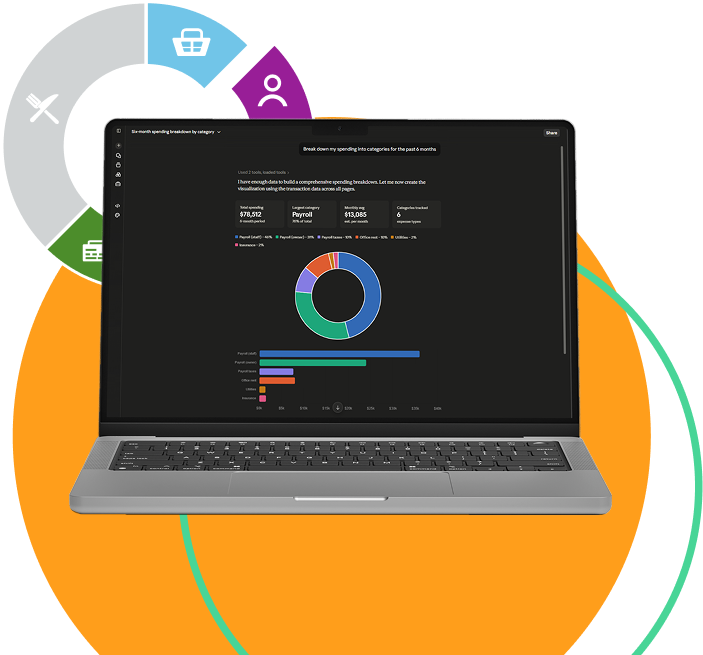
Frequently asked questions
Setup instructions for ChatGPT – Within your First Internet Bank online banking, go to Settings > AI Connectors and copy your personal link.
Enable developer mode
1. Open chatgpt.com in a web browser or use the ChatGPT desktop app.
2. Go to Settings > Apps > Advanced Settings, and turn on Developer mode.
Create connector
3. Go back to Apps and select Create App.
4. Enter First Internet Bank in the Name field.
5. Paste your personal link (copied above) into the MCP Server URL field.
6. Ensure Authentication is set to OAuth.
7. Select the confirmation checkbox and then Create.
Authenticate
8. A new window will open to your online banking login screen. Sign in as usual.
9. Review the terms of use and select Confirm.
10. Select Authorize to grant ChatGPT permission to access your financial data.
Start using the connector
11. Start a new chat and ask your question, making sure to mention the connector (e.g., “Can you show me my account information? I connected my account to ChatGPT via connectors”). Select Confirm on the access prompts that appear.
Troubleshooting
- You will need to re-authenticate every 7 days.
- ChatGPT: Navigate to Settings > Apps > First Internet Bank of Indiana AI Connector > “Connect”
- Only account signers / admins can create new custom connectors on team plans.
- Each team member will need to authenticate individually with their banking login to access the connector.
Setup instructions for Claude – Within your First Internet Bank online banking, go to Settings > AI Connectors and copy your personal link.
Add connector in Claude
1. Open Claude.ai in a web browser or use the Claude desktop app.
2. Go to Settings > Connectors > Add Custom Connector.
3. Enter First Internet Bank in the Name field.
4. Paste your personal link (copied above) into the URL field.
5. Select Add.
Authenticate
6. In the Connectors list, find First internet Bank and select Connect.
7. A new window will open to your online banking login screen. Sign in as usual.
8. Review the permissions and select Authorize to grant Claude access to your financial data.
Start using the connector
9. Start a new chat and ask a question (e.g., “Can you show me my account information?”). Select Allow always on the access prompts.
Troubleshooting
- You will need to re-authenticate every 7 days.
- Claude: Navigate to Claude Settings > Connectors > “Connect”
- Only account signers / admins can create new custom connectors on team plans.
- Each team member will need to authenticate individually with their banking login to access the connector.
First Internet Bank’s MCP connection creates a secure, read-only link between your First Internet Bank accounts and AI assistants like Claude and ChatGPT, so those assistants can analyze your account information and answer your questions directly inside the AI tool, without a separate app or sign in.
Through this MCP connection, the AI assistant can only access the specific First Internet Bank account data you approve, such as balances and transaction history, for the purpose of reading and analyzing that information.
The MCP connection is strictly read-only, which means the AI assistant can review and analyze your First Internet Bank account data but cannot move money, initiate payments or make any changes to your accounts.
No, you do not need to export spreadsheets or upload reports, because the MCP connection allows the AI assistant to securely read your First Internet Bank account information directly, so it can generate summaries and insights without manual exports.
Using this MCP connection, you can ask business questions such as whether you have enough cash on hand to cover upcoming expenses, how your spending has changed month-over-month, which vendors you are spending the most with, and whether a recent payment has cleared.
Yes, you decide which First Internet Bank account data the AI assistant can review, and you can update or turn off those permissions at any time if you no longer want the AI assistant to access that information.
No, you never share your First Internet Bank sign in credentials with Claude or ChatGPT, because the MCP connection is designed to let the AI assistant read approved data without exposing your online banking username or password.
This MCP experience is currently available for Claude Pro, Claude Max, Claude Team, and Claude Enterprise plans, as well as ChatGPT Pro, ChatGPT Business, and ChatGPT Enterprise plans.
Because this MCP connection is in “Beta”, you are among the first to use it, and you will be asked to review and acknowledge a Beta Agreement that explains the experience, your responsibilities, and First Internet Bank’s responsibilities so expectations are clear as the service continues to evolve
Already utilizing the beta version of our Model Context Protocol (MCP), but you need technical support? Check out our MCP Technical FAQs.
Read Our Technical FAQsBeta Agreement
By providing your sign-in credentials and proceeding, you are authorizing a third-party service to access your First Internet Bank account(s). First Internet Bank makes no warranty and has no liability for the third-party service or any access to or transactions it conducts on your account(s). As provided in the Online Banking Access Agreement applicable to your account(s), you are liable for any transactions initiated by a user who accesses your account using your sign-in credentials, including third-party services, and First Internet Bank has no liability for and may act on instructions provided by anyone who has accessed your account using your sign-in credentials, including any third-party service. If you do not want to authorize the third-party service to access your account(s), do not proceed. If you want to revoke authorization and are unable to do so directly with the third-party service, contact First Internet Bank at [email protected] or 1-888-873-3424.